Do Social Media Profiles Help Real Estate Agents Get Found on Google and AI?
You post when you can. A new listing. A just-sold photo. A short video from a showing, filmed in the car between appointments. Some weeks you post three times. Some months you forget the password.
And every so often you wonder if any of it matters. The likes come from your aunt and two agents in your office. Nobody has ever called and said they hired you because of Instagram. So you start to treat social as optional, the thing you do when everything else is done. Am I close?
You aren't wasting your time. You're just missing the part nobody explained. Your social profiles do two quiet jobs, and neither one shows up as a like.
The short answer
Yes, social media profiles help, but not mainly through likes. They help in two ways. First, they are more places online that describe you, and Google, ChatGPT, Gemini, Claude, Perplexity, Copilot and other AI tools look for the same facts in more than one place before they trust them. Second, they let sellers get to know you before they ever call, so the call starts with trust instead of a pitch.
AI doesn't pick the best agent. It picks the agent it can understand. A social profile with your full name, your town, what you do and a link to your website is one more clear sentence about you. A profile with a nickname, an old brokerage and no link is noise.
What Google says about social links
Google's own help page on social media links says you can add one link per platform to your Business Profile, from Facebook, Instagram, LinkedIn, Pinterest, TikTok, X and YouTube. You add them under Edit profile, then Contact, then Social profiles. The same page notes that some profiles show social links automatically, and that Google doesn't give you click numbers for them.
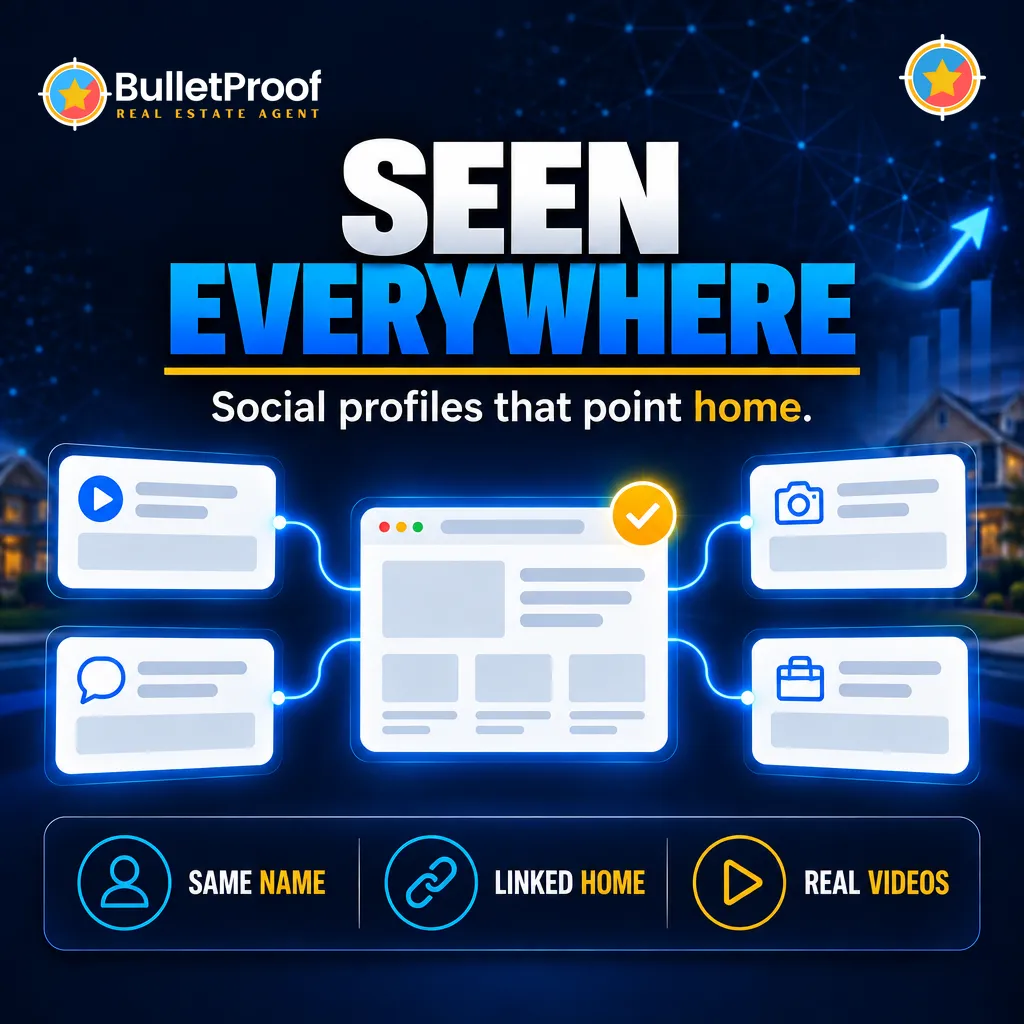
That last part matters. You won't see a report that says Instagram brought you a listing. The value is in the connection: your Google profile points to your social pages, your social pages point to your website, and your website points back. Every link says the same thing. This is the same agent.
Think of it like the coffee shop you walk past every morning. You have never been inside. But you have seen the sign a hundred times, you know what they sell, and the day you need coffee near there, you don't search. You just go in. Your social profiles are the sign people walk past. The day they need an agent, you already feel familiar.
Video transcript: So yeah, I had three, three sudden listing appointments. And then Sunday, I got another one, um, and she said she's been seeing my social videos. So, um, so that was great. JoinBulletProof.com, where sellers call you. And we'll see you at the top.
How to set up social profiles that help you get found
1. Use the same name everywhere
Your full professional name, the way it appears on your website and your Google profile. If your website says one name and your Instagram handle says something cute, the machine has to guess whether they are the same person.
2. Write the bio in plain words
Name, what you do, and where. Realtor helping families buy and sell homes in your town and the neighborhoods around it. Skip the emoji wall and the inspirational quote. A seller and a machine should both be able to read it in five seconds. Your directory profiles should say the same thing.
3. Link to your own website, not just the portals
Every profile should point home, to a site you own. That is where the full story lives, and it is the one link that stays yours when you change brokerages or portals change their rules.
4. Add every profile to your Google profile
Use the Social profiles section on your Google Business Profile so Google connects the accounts to you on purpose, instead of guessing.
5. Post things that answer real questions
A video that explains a local question nobody else explains does more than a stock market update. If you're stuck for ideas, start with these local video ideas. Then post it everywhere at once.
What this looks like for real agents
Beth sells in New Lenox, Illinois. On a July call she told us about a busy stretch of listing appointments, and then one more: "And then Sunday, I got another one. And she said she's been seeing my social videos." That seller didn't find Beth through a single post. She had been watching for a while. By the time she reached out, the decision was mostly made.
Kristina and Scott sell in Lake Havasu City, Arizona. On a late-September call Kristina said, "But I am getting a lot of people tell me, I've been seeing you everywhere." That is what one consistent identity across Google, a website and social profiles sounds like from the other side.
Scott and Melissa sell in Asheville, North Carolina. On a June call they described picking up listings by showing up in local Facebook groups: "a couple of listings I've gotten that way." And they named why it works: "And I'm linked to our website, you know, and it gives credibility." The social post opens the door. The website closes it.
Three markets, the same pattern. Social didn't replace Google or the website. It made the agent familiar, and it pointed people to a place that confirmed what they saw.
What we tell our clients about social media
Here is our own view, the same thing our team says on client calls. Social media is a support beam, not the foundation.
- Post once, share everywhere. We connect a client's social accounts so the posts we write for their Google profile and website can go out to their social pages too, without an hour of cross-posting.
- Every video points both ways. Upload it to YouTube, then put it on the website, so the YouTube video points to the website and the website points back.
- Title videos like a search. Whatever the topic, end the YouTube title with your name, Realtor and your town, so every video adds to the same story.
- Reviews belong on Google first. When a happy client offers to leave a review on Facebook, thank them and send them the Google review link instead. That is the review sellers and AI tools read most.
- Social never replaces your Google profile or your website. A social post fades within days. Your website and your Google profile keep working while you sleep, so those come first.
Who this is for, and who it isn't
This is for agents who already post now and then and want it to count for more. If you hate social media, you don't need to become an influencer. Clean, linked profiles with a plain bio still do the identity job, even if you post once a week. And if your Google profile is empty, start there before you spend another evening on reels. Weekly Google profile posts and videos usually do more for you than another social platform.
Want to see what Google and the AI tools say about you right now, including which profiles they connect to you? Get a free AI visibility audit.
The bottom line
Your social profiles aren't a popularity contest. They are a set of signs that all point to the same agent and the same home base. A BulletProof website is built to be that home base, so every profile, post and video has one clear place to send people.
AI doesn't pick the best agent. It picks the agent it can understand. Picture a seller in your town who has watched your videos for months. One evening she asks her phone who to call. Your name comes up, the face is familiar, the website confirms it, and she has decided before she dials. Sellers call you. Not you calling sellers.
Frequently asked questions
Do social media profiles help a real estate agent rank on Google?
Indirectly. Social profiles are more places that describe you, and linking them to your Google Business Profile and website helps Google and AI tools connect the accounts to you. Your Google profile, reviews and website still carry more weight.
Which social media platforms should real estate agents use?
Pick the ones you will keep up. Google Business Profile lets you link Facebook, Instagram, LinkedIn, Pinterest, TikTok, X and YouTube. Video platforms like YouTube are especially useful because videos can also live on your website.
How do I add social media links to my Google Business Profile?
Open your Business Profile, select Edit profile, then Contact, then Social profiles. You can add one link per platform.
Should clients leave reviews on Facebook or Google?
Google first. Thank anyone who offers a Facebook review, then send them your Google review link, because Google reviews are what most sellers and AI tools read.
Does ChatGPT look at my Instagram or Facebook?
AI tools such as ChatGPT, Gemini, Claude, Perplexity and Copilot draw on what they can find about you online. Consistent social profiles that link to your website make your name, town and services easier for them to confirm.
Related reading: How to Plan Next Year's Real Estate Marketing Budget: What to Keep, Cut and Start